Video Conferencing Terminal Hardware: Bidirectional Codecs, Audio Front-Ends and Room Matching
Treating a box that plays 4K as a video conferencing terminal is the first pitfall many projects hit. Playback only needs one-way decoding; conferencing needs simultaneous encoding and decoding, in real time, with bidirectional audio. A dropped frame in playback goes unnoticed; stutter or echo in a meeting is complained about immediately.
How a conferencing terminal differs from a player: bidirectional, real-time, low latency
The difference comes down to three points. First, bidirectional: the terminal encodes the local video for upload while decoding the remote video for display, both at once, on different hardware blocks of the same chip. Second, real-time: encoding cannot buffer indefinitely for quality; it must deliver frames steadily within a latency budget typically measured in tens to hundreds of milliseconds. Third, low jitter: bitrate must adapt to network conditions rather than causing quality to swing visibly.
These three points mean selection cannot stop at “supports 4K hardware decode.” The real question is how many concurrent hardware encoder channels exist and at what specification each runs. Many chips decode better than they encode: smooth 4K playback does not imply smooth 1080p upload. Datasheets usually gloss over this asymmetry, so confirm it explicitly during selection.
Encoding runs alongside decoding: channels and concurrency
In a typical meeting, the encode side carries at least the local camera feed, plus another when screen sharing starts — and shared content behaves completely differently from camera video: mostly static, text-heavy, needing preserved clarity, with a different bitrate allocation strategy. If both run in software encoding, CPU load rises sharply, and with it fan noise and heat.
So write concurrent encode channels and maximum resolution and frame rate per channel into the requirements. Also confirm whether the platform exposes hardware encoding to the conferencing application — some solutions advertise a hardware encoder while the application actually takes a software path, leaving that capability unused. This is easy to verify at prototype stage by watching CPU usage during encoding. Meeting rooms with demanding codec concurrency are better served by edge-oriented models such as the 02A EDGE-RK3576 V1.1, where hardware and software integration is more complete.
Audio front-end processing fails more often than video
Among meeting experience complaints, audio far outnumbers video. Acoustic echo cancellation (AEC) is the core: sound from the loudspeaker re-enters the local microphone, and without cancellation the far end hears itself. Alongside it sit automatic gain control (AGC), automatic noise suppression (ANS) and beamforming, which steers a microphone array toward the speaker and suppresses ambient noise.
These algorithms only work if audio path latency is known and stable: AEC needs an accurate picture of the time relationship between loudspeaker playback and microphone capture. If driver buffers are too large or jittery, the algorithm fails. This is why the idea that “plug in a USB speakerphone and you can hold a meeting” so often goes wrong — the hardware is fine, but the latency chain is not controllable. Require measured audio pre-processing data from the vendor and run echo tests in a real meeting room, not in a quiet lab.
Matching microphone arrays and pickup range to the room
Pickup capability should be matched to room size, not maximised. In a small room (three to five people), the terminal’s built-in linear multi-microphone array is usually sufficient, with a pickup radius of two to three metres. A mid-sized room (around ten people) needs microphones extended onto the table, or a cascaded array covering the table area. Large rooms require ceiling arrays or multiple table microphones, plus handling of speaker switching.
The common mistake is scaling a small-room design up to a large room: pushing pickup range to its limit amplifies noise along with speech and sounds poor at the far end. Another frequent error is placing microphones too close to loudspeakers, over-burdening AEC. Plan seating and loudspeaker positions first, then microphones — not the other way round. For small and mid-sized rooms, a compact host with full interfaces that accepts professional audio peripherals, such as the 01H MINI PC-RK3588, allows more flexible audio configuration than an all-in-one.
USB cameras and peripheral compatibility
Most conferencing peripherals run over USB: cameras, speakerphones, touch panels, even some vendors’ remote controls. USB compatibility looks basic but has two recurring pitfalls. One is bandwidth: when several USB devices share a controller, multiple high-definition video streams compete for it. The other is UVC compatibility: cameras are all described as driver-free, but support for specific resolutions, frame rates and encoding formats varies between host controllers, showing up as a black picture or a forced low resolution.
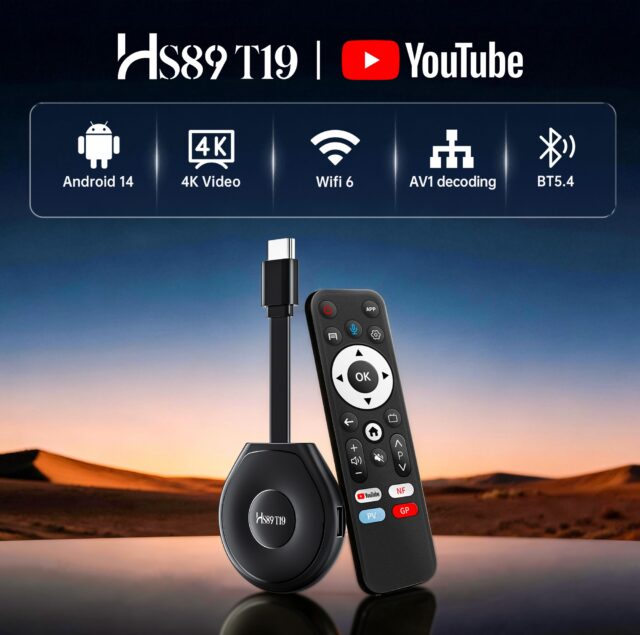
Validate compatibility with the actual camera and microphone models the project will use rather than assuming “driver-free means it works.” If 4K cameras are in scope, confirm both USB bandwidth and UVC driver support at that resolution. For meeting deployments that run continuously for long periods, mature models such as the HS89 T19 PRO Media Player are usually easier to integrate with peripherals.
Conclusion
Conferencing terminal selection follows a completely different logic from media players: it centres on concurrent encoding capability, the audio front-end chain, and room matching. Do not be misled by playback-side claims such as “supports 4K hardware decode” — ask how many channels can be encoded simultaneously. Do not assume a USB speakerphone is enough — test echo cancellation. Do not stretch a small-room pickup design to cover a large room. Validating these three items properly at prototype stage eliminates most post-deployment complaints.