Choosing a Box for Digital Signage and Enterprise Info Display: Stability, I/O and 24/7 Playback
Enterprise information display and digital signage look like a simple requirement: one screen, one box, content on loop. Once live, though, problems tend to surface in the least glamorous places — the box starts stuttering after three months, or a network drop leaves it permanently unreachable.
How a signage box differs from a consumer box
A consumer box is designed for two or three hours of use a day. A signage box is designed to run 24/7 for three years. That difference shows up in three places: thermal and component headroom, whether the system can be customised, and remote management capability.
Plenty of projects have learned this the hard way: using retail TV boxes for signage saves cost upfront, then costs repeated site visits later through thermal throttling, missing watchdogs and no way to reboot remotely.
Three hard requirements
First, networking. Gigabit wired is the baseline; wireless is a fallback only. Signage content is usually high-bitrate video, and a 100M port tends to stutter when multiple screens are synchronised. Confirm this item specifically on a selection sheet — “has RJ45” is not enough.
Second, interfaces. Beyond HDMI, consider whether AV output is needed for legacy equipment, whether SPDIF is needed for an amplifier, and whether a TF card or USB should hold local content as a fallback so a network failure does not mean a black screen.
Third, system customisation. Commercial deployments usually need a specific app to auto-start, system settings locked down, user operations restricted, and remote configuration supported. That requires a system that can actually be customised, not locked consumer firmware.
How three models position
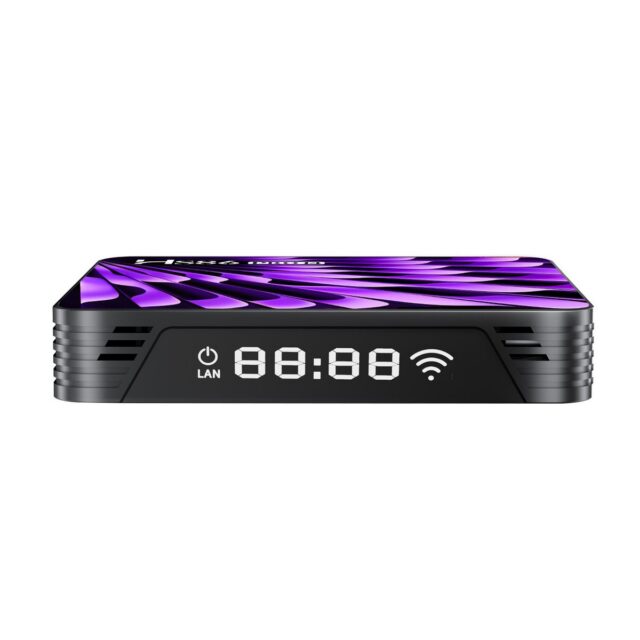
The HS86 PRO 14 box is based on RK3518 quad-core Cortex-A53 with Android 14, and its I/O is generous: HDMI, USB 3.0 and USB 2.0, AV, TF card and optical SPDIF, plus dual-band Wi-Fi 6 and gigabit LAN, with CE / FCC / ROHS certification. Its role is the general-purpose model for retail living rooms, IPTV and enterprise info display — interface completeness is its biggest strength, since almost any on-site peripheral can be accommodated.
The HS89 PRO 15 box steps up to RK3539 quad-core Cortex-A55 @1.92GHz with Mali-G310, HDMI 2.1 output at 4K@60fps, AV1/VP9/H.265 hardware decoding, storage up to 4GB+64GB and Bluetooth 5.4. Its advantage is decoding capability and storage: projects with a large local library, or newer source encoding such as AV1, have more headroom here.
The HS89 T19 PRO media player is the most capable of the group: Amlogic A311D hexa-core (4×Cortex-A73 + 2×Cortex-A53), 8K H.265/H.264 decoding, HDMI 2.1 TX, gigabit Ethernet, Wi-Fi 6 and Bluetooth 5.2, running a customised Android 12 Pro build designed for 24/7 continuous playback stability. For living room 4K/8K cinema, advertising playback and enterprise showrooms where both picture quality and reliability matter, this is the pick.
Deployment and operations
Before going live, confirm three things: whether the box powers on and resumes playback automatically after a power interruption; whether it reconnects and continues local playback when the network drops; and whether there is a means of remote restart and log retrieval. These three matter more to long-term operating cost than the SoC model on the box.
Procurement advice
Interface completeness and cost first: HS86 PRO 14. Decoding capability and storage first: HS89 PRO 15. Picture quality and long-term stability first: HS89 T19 PRO. All three support OEM customisation and volume supply; specifications and downloads are on the HS89 T19 PRO product page.