KTV Jukebox and Cloud Desktop Terminals: Dual Display, Peripherals and Long-Term Supply
To an outsider, a KTV jukebox and a digital signage player look like the same thing: a box plugged into a TV. Anyone who has actually delivered such a project knows the difference is large. Signage is one-way playback; a jukebox has to handle touch interaction, dual display, peripheral control and microphone mixing at the same time. Selecting a jukebox with a media-player mindset almost always leads to rework on peripherals and audio.
A jukebox is not a player: three interaction models
Start by classifying the project, because the interface list differs completely. The first model is a dedicated ordering screen: a touch panel on the room wall used only for song selection, with video output handled by separate equipment. This makes the fewest demands on the box; the focus is touch stability. The second is combined ordering and playback: one device drives both the ordering screen and the HDMI output to the TV or projector. This is the dominant model today, and dual independent display is a hard requirement. The third is a cloud desktop terminal: the local unit only decodes and handles peripherals while all content comes from a back-end server, which is common in chain stores and centrally managed deployments.
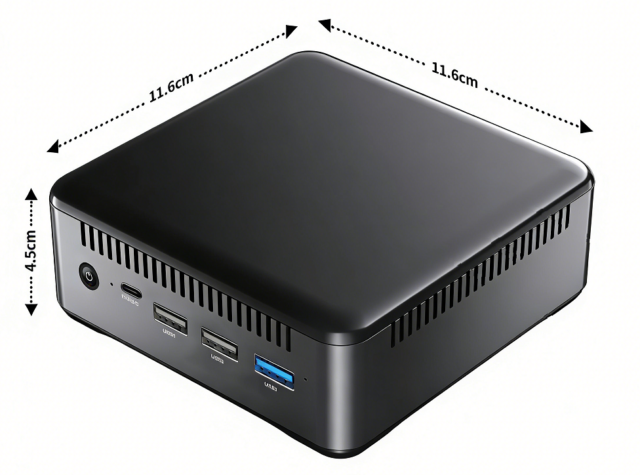
None of the three is computationally heavy — the ordering UI itself is lightweight. The real difference is the number and type of interfaces: the combined model needs at least one HDMI output, one interface for the ordering screen, several USB ports and at least one serial port. The right first question is “what peripherals must this system connect to,” not “how much compute do we need.” A small host with a full interface set, such as the 01H MINI PC-RK3588, is usually more practical here than a board chosen purely for raw performance.
Dual display is a hard requirement: two very different paths
The most common mistake in the combined model is assuming that “it can drive two screens” is sufficient. In reality the two screens are asymmetric: the ordering screen is usually low resolution (1080p or less) but must feel responsive, since touch latency directly affects the experience; the TV output needs 4K, embedded audio and HDCP handling. If both screens share one display pipeline in clone mode, touch interaction competes with video output, and conversely a fully loaded video decoder will make the ordering UI stutter.
The correct approach is independent pipelines with extended desktop, so each screen gets its own bandwidth budget. Pay attention to the ordering screen’s interface: if it is an HDMI touch screen, the touch signal usually travels over USB, so USB bandwidth and noise immunity matter too; if it is driven directly over LVDS or eDP, the panel model and timing must be fixed at board design time, leaving little room to change panels later.
Peripherals stall projects more often than compute does
What derails a KTV schedule is rarely SoC performance — it is peripheral integration. Room lighting, air-conditioning panels and control hubs still use RS-232 or RS-485 extensively, and baud rates, parity and protocols differ between vendors. USB-to-serial adapters work in the lab but can drop frames or pick up noise over long on-site cable runs. For these environments, native serial ports with isolation are the safer choice.
Serial port count, isolation requirements and cable length should therefore be written into the requirements list at project definition time. Discovering this at the prototype stage usually means changing the mainboard or adding an adapter board, and both require mechanical rework. For projects needing multiple isolated serial ports, prefer industrial-oriented models over retrofitting converters onto a consumer box.
Audio is the most underestimated part: mixing, feedback and echo
The audio path of a jukebox is fundamentally different from video playback: microphone input must be mixed with the backing track in real time, and echo cancellation is mandatory, otherwise the accompaniment coming from the TV re-enters the microphone and produces howling or audible echo. Software algorithms can only work if audio path latency is bounded — if the driver buffers are too large, no algorithm can cancel in time.
Confirm three things during selection: whether microphone input is analog or a digital array; what the round-trip latency from input to output is; and whether audio pre-processing parameters are exposed. Many projects pass with headphones in the lab and fail once connected to a real amplifier and speakers, which is essentially an untested latency chain. Run feedback tests with the actual amplifier and speakers at prototype stage rather than after bulk installation.
Long-term supply and spares: the real lifecycle
KTV interiors are typically renewed every five to eight years, but hardware fails well before that. This makes spare availability more important than unit price: can the same model still be bought three years from now? Is there an end-of-life plan for the SoC? Can a replacement drop in without mechanical changes?
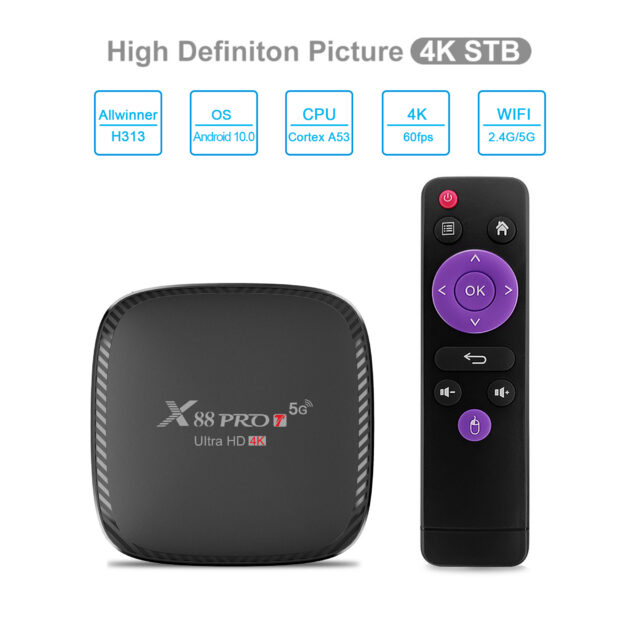
Asking these questions at order time costs far less than dealing with them later. For chain deployments, a sound practice is to reserve a proportion of units as spares and to favour models with a continuous, mechanically stable product line. High-volume mature models such as the X88 PRO20 TV Box (RK3566 Android 11) are usually easier to maintain long term than a brand-new platform, while rooms with higher performance and interface requirements can consider edge-computing form factors such as the 02A EDGE-RK3576 V1.1.
Conclusion
Selection for KTV and cloud desktop terminals is driven by interfaces and signal paths, not benchmarks: whether the two screens are truly independent, whether serial ports are sufficient and isolated, whether audio round-trip latency is controllable, and whether the same model can still be bought in three years. Turning those four items into a checklist at project definition time is far cheaper than firefighting later. Design a jukebox as an interactive terminal, not a player, and the project runs smoothly.