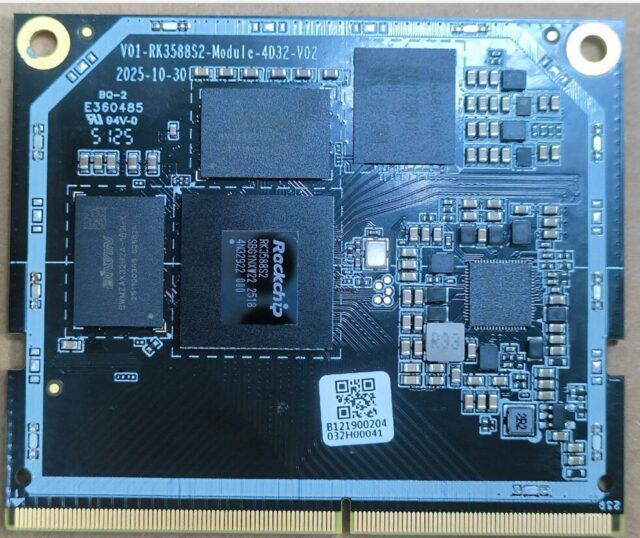
01A RP01A: Display output: how many panels and what resolution
Read resolution numbers together with the interface version. A resolution ceiling and dual-panel support are different questions.
Specifications first: 01A RP01A
| Item | Specification |
|---|---|
| Display | HDMI 2.1port x1, up to8K 60Hz, HDCP2.3; Type-Cport x1, 2Lane, up to4K 60Hz, DP1.4a HDCP2.3; MIPI DSI x 2, 4Lane |
| SoC | RK3588S Octo-core, Cortex-A76 and Cortex-A55; up to2.4 GHz |
| Memory | LPDDR5X; 4G/8G/16G/32Goptional |
| Storage | supports eMMC5.1, SDIO3.0; 16GB/32GB/64G/128G(optional) |
| USB | USB3.1 host Type-A x 1 5 Gbps; USB3.1 OTG Type-C x 1 5 Gbps; USB2.0 host Type-A x 1 480 Mbps |
| Ethernet | 1000M x 1 |
| Power input | 12V 2A powerDC barrel jack 5.5 2.0 |
| Power budget | 10W(excluding peripherals) |
How to read these numbers
Display output is HDMI 2.1port x1, up to8K 60Hz, HDCP2.3; Type-Cport x1, 2Lane, up to4K 60Hz, DP1.4a HDCP2.3; MIPI DSI x 2, 4Lane. Check resolution, refresh rate and interface type together, especially for a specific panel.
The SoC is RK3588S Octo-core, Cortex-A76 and Cortex-A55; up to2.4 GHz. The chip sets the CPU architecture, instruction set and supported OS; confirm compatibility with your software stack first.
Memory is configured as LPDDR5X; 4G/8G/16G/32Goptional. It bounds application and UI size; pick the tier against the real workload before volume orders.
Storage is supports eMMC5.1, SDIO3.0; 16GB/32GB/64G/128G(optional). The type (eMMC / UFS / SD) matters more than capacity for boot speed and random I/O.
USB is configured as USB3.1 host Type-A x 1 5 Gbps; USB3.1 OTG Type-C x 1 5 Gbps; USB2.0 host Type-A x 1 480 Mbps. Read count and speed together: speed decides which devices work, count decides how many at once.
Wired networking is 1000M x 1. Port count decides whether isolation or redundancy is possible; speed sets the LAN ceiling.
Power input is 12V 2A powerDC barrel jack 5.5 2.0. Voltage and connector shape drive baseboard design and field supply replacement.
System power is rated 10W(excluding peripherals), excluding peripherals. Devices and add-in cards draw from the remaining headroom.
What it means in practice
HDMI 2.1 reaches 8K60, so port bandwidth is not the constraint. 8K output still loads memory bandwidth and cooling, and most real projects run at 4K.
Two HDMI outputs support dual independent displays. A single-panel project need not pay for the second, but keeping it helps later expansion.
Beyond HDMI it breaks out MIPI-DSI / LVDS / eDP for panels, which widens display choice for panel-based products; check lane count and touch interface.
HDCP 2.3 is supported, so protected content from operators and streaming apps will not be blocked. For signage, confirm the content source’s protection level matches this version.
The common misjudgement on display is ‘the port exists but the bandwidth does not’. The same HDMI port differs a lot between 2.0 and 2.1, and between 4K60 and 4K120. Write down your panel’s resolution and refresh rate and check them against the spec line by line; do not stop at ‘supports 4K’.
Read it against neighbouring specs
One more angle that is easy to miss: GPU does not work in isolation. It interacts with Memory and USB. Read them together to see whether the board will hold up in your configuration.
Memory is configured as LPDDR5X; 4G/8G/16G/32Goptional. It bounds application and UI size; pick the tier against the real workload before volume orders.
USB is configured as USB3.1 host Type-A x 1 5 Gbps; USB3.1 OTG Type-C x 1 5 Gbps; USB2.0 host Type-A x 1 480 Mbps. Read count and speed together: speed decides which devices work, count decides how many at once.
The NPU is rated 6.0 Tops. That figure is measured at a specific precision; judge model support with the precision in mind.
Where it fits
Fits display projects with a known panel and in-spec resolution; special panels or dual independent displays need lane and interface checks.
When not to choose it
To drive a specific panel (LVDS / eDP / MIPI-DSI), confirm lane count and touch interface are actually broken out, not just ‘display supported’.
Check these before ordering
- The target panel’s interface, lane count and touch support
- Whether resolution and refresh rate are within spec
- Whether dual independent display is required
Full specs, interface definitions and flashing notes are on the matching page at https://docs.haimika.com/en. To map the numbers to a concrete configuration, submit your requirements at https://www.haimika.com/en/quote/ and we will check interfaces, power and storage against your list.