Production Firmware Flashing: Consistency and Line Preparation From Sample to Batch
A working sample and a working production run are different things. The first needs one unit to work; the second needs every unit to work identically. Between them sit firmware flashing, configuration consistency, line fixtures and how rejects are handled — and if these are left until the week before production, problems are close to certain.
This follows the preparation order: how firmware is frozen, how configuration is unified, how the line validates, and how exceptions are contained.
Freeze a Golden Image First
The first production task is freezing the firmware version and producing a golden image: operating system, drivers, pre-installed applications and default configuration all fixed in that one build, changed afterwards only when necessary. Without that baseline, none of the consistency work below has anything to measure against.
Freezing does not mean never updating; it means updates follow a version process: what changed, what was validated, which version it upgrades from. The process feels bureaucratic at small volumes, but when a batch issue appears it is the only way to answer “what differs between this batch and that one.”
Separate Configuration From Data
The second principle is keeping what varies out of the image. Serial numbers, network parameters, regional language and licensing differ per unit and should not be baked in. The image stays generic; per-unit data is injected at flash time or on first boot.
The benefit is maintaining only one image — a new customer or region does not mean rebuilding it. Baking serial numbers into the image instead means regenerating and revalidating firmware for every order, multiplying both workload and error rate.
Flashing Method: Choose by Volume, Do Not Reuse the Sample Approach
Flashing units one at a time from a command line is fine for samples and unworkable for production. The common routes are offline flashing (storage programmed before assembly, suited to very high volume) and online flashing (written through a connector after assembly, suited to small and medium runs and to cases needing whole-unit test).
The choice depends on volume, whether full-unit testing is required, and whether disassembly is acceptable. Small and medium runs that need functional testing favour online flashing; where storage supply and programming can be outsourced, offline flashing is more efficient. Decide this during prototyping, because it determines whether the PCB must reserve a flashing connector and test points.
Line Fixtures and Validation
A completed flash is not a working unit. The line needs fast validation: does it boot, are key interfaces functional, is the pre-installed set complete, did per-unit data land correctly. That check must finish within tens of seconds or it becomes the throughput bottleneck.
Three fixture questions need answering early: physical access to the flashing interface (still reachable once assembled), how units are powered (one at a time or several in parallel), and reject criteria and routing (how many failed attempts make a reject, how rejects are marked). Confirming these during prototyping costs almost nothing; changing them after production starts does not.
Traceability: Record Every Unit
Production must leave a traceability record: which firmware version this unit received, when it was flashed, its serial number, and the line validation result. The value surfaces about six months after shipment — when a batch shows a common fault, it narrows the scope from “recall everything” to “this window, that version.”
It needs no elaborate system: automatic logs from the flashing tool plus serial-number association is enough. What matters is designing it before production; it cannot be reconstructed afterwards.
Move Production Requirements Forward Into Selection
Production-friendliness is largely decided at selection time: are workable batch flashing tools and documentation available, are interfaces convenient for the line, is the firmware version stable enough to freeze. Those three determine whether production runs smoothly far more than raw hardware specifications.
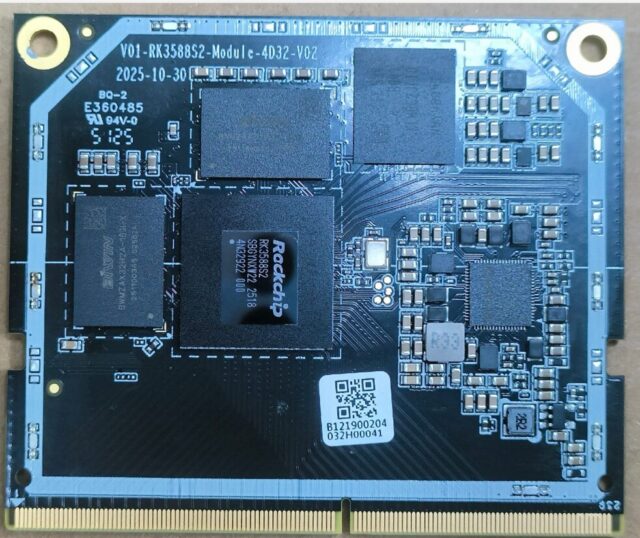
For custom carrier boards or integrating compute into your own product, a module approach such as the 01M-M-RK3588S 核心板 keeps design control of flashing and test points with you, which suits products with a defined production plan. Industrial whole-unit projects care more about long-term supply and version stability, as with a board like the 05A IPA-RK3588 工业控制主板 — the thing most feared after production starts is not insufficient performance but a new version arriving with each shipment. For consumer box volumes, mature models such as the HS86 PRO 14 机顶盒(4K 安卓 14) usually carry firmware and flashing flows already proven across many orders, so line preparation is considerably lighter.
Pre-Production Checklist
1. Golden image frozen with a version number → 2. Per-unit data separated from the image → 3. Flashing method chosen for the volume and the PCB provisioned with the matching interface → 4. Line validation script completes in tens of seconds → 5. Reject criteria defined → 6. Traceability logging automatic. With all six in place, production rarely holds surprises.