Choosing Between Two NAS Options: 4-Bay RK3588 vs the RK3572 Storage Box
With a self-built NAS, the hard part is rarely “should I build one” but “which tier.” Pick too low and you want to replace it within a year; pick too high and the extra money goes unused. These two represent the two philosophies: one prioritises bays and expandability in a board form factor, the other prioritises compactness and power in a finished storage box. Define the requirement first and the choice becomes straightforward.
Start With the Requirement: How Many People, Doing What
The starting point is not the spec sheet but three concrete questions: how many concurrent users (two or three at home, or a team of a dozen), the primary workload (pure file storage and backup, or transcoding, virtual machines and AI workloads on top), and data volume with its growth rate. Those three set the priority order for every specification that follows.
For file sharing and backup alone, a mid-range platform is plenty — the bottleneck is usually the disks and the network, not the SoC. Once containers, transcoding or local inference enter the picture, compute and memory become decisive. Many buyers blend the two workloads and end up with a configuration that is slightly short in both directions.
Bays and Expandability: The Fundamental Difference
Bay count directly caps capacity and shapes your data-protection options. More bays mean larger arrays, more flexible redundancy, and expansion by adding disks rather than replacing the machine. A compact, low-bay design wins on size, power and noise — it belongs in a living room or study rather than a rack.
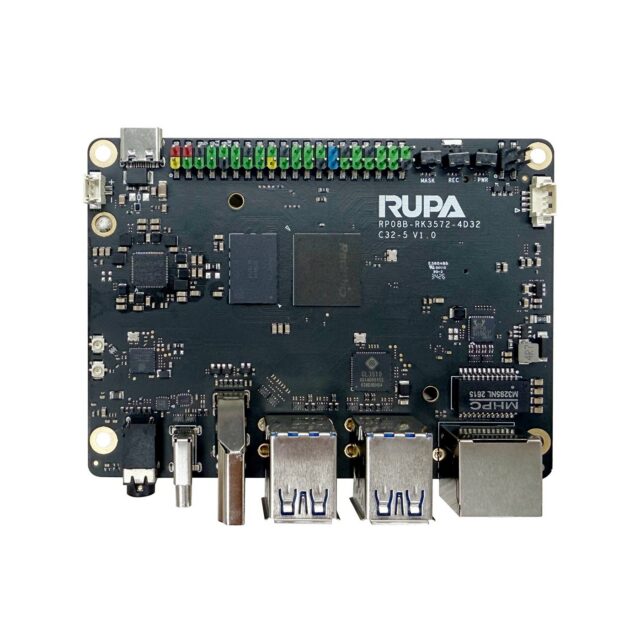
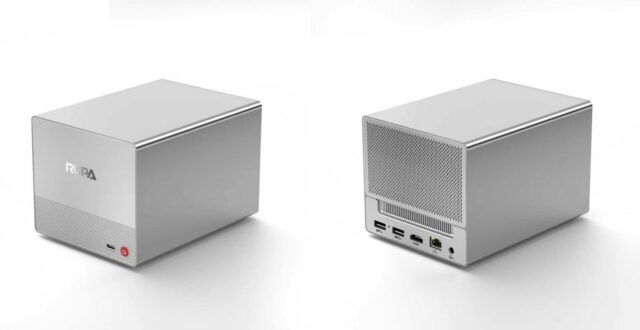
The 04A NAS-RK3588 网络存储开发板 takes the multi-bay route: its value lies in bays and expandability, suiting data that keeps growing, or a desire to run storage and lightweight services on one box. The 08A NAS 智能存储盒(RK3572 八核) takes the compact finished-product route — ready to run, small footprint, aimed at users whose priority is storage rather than tinkering.
What the Compute Gap Buys You
The two platforms sit at different tiers, and the difference shows up in what you can do alongside storage. A mid-range platform handles file serving, backup and Docker containers comfortably; the higher tier leaves additional headroom for transcoding, multiple VMs and local AI inference.
A common misconception here: compute is not “the more the better,” it needs to point in the right direction. If heavy workloads are firmly off the table, budget spent on disk capacity and networking returns more. Conversely, if vision or similar workloads may be added later, compute headroom and memory must be reserved up front.
There is a more flexible route: make compute something you add later. Start with the platform that satisfies storage, and add compute only when it is genuinely needed. A module such as the RM182X M.2 2280 算力协处理器模组(20TOPS) follows exactly that path — compute is decoupled from the main controller, so the storage platform is not held hostage to future compute needs, and there is no need to buy a tier higher today for something you might use later.
Network Ports and LAN Bandwidth
With several concurrent users, the network port usually becomes the bottleneck well before the SoC. Gigabit is fine for one person moving large files, but strains under concurrent access or VMs; 2.5GbE is currently the sweet spot for value in self-hosted setups. Choose with the switch and cabling in mind — upgrading only the NAS port achieves nothing if the rest of the LAN is still gigabit.
Power, Noise and Where It Will Live
This matters enormously in daily use and is routinely ignored during selection. Multiple bays means multiple spinning disks, which raises both noise and power draw — fine for a study, storeroom or rack, less so elsewhere. Compact designs typically run lower-power platforms with less noise and can sit next to a TV cabinet. Decide where the device will live before choosing a tier — that constraint often decides the question more decisively than any specification.
Decision Checklist: Which One, When
Choose the 4-bay RK3588 when: data volume will keep growing, you want redundancy and flexible expansion, you intend to run containers or lightweight AI alongside storage, and there is a dedicated place to put it. Choose the compact RK3572 box when: the job is files and backup, you want it working out of the box, you are sensitive to size and noise, and budget should go into disk capacity.
Still between them? Use a simple test: look at expected data volume three years out. If it will roughly double, bays come first; if it will stay flat, the compact box is better value. When in doubt, write down the three targets — users, workload, data volume — and the decision has a basis.