Education Interactive Displays and Lecture Capture: Touch, Recording and Classroom Deployment
The large screen in a classroom looks much like the interactive panel in a meeting room, but the engineering priorities are entirely different. A meeting room cares about meeting experience; a classroom cares about whether class can run reliably every day and whether the lesson can be recorded. A failed meeting can be rescheduled; a failed lesson is an incident.
Three form factors: all-in-one, OPS module and external terminal
Education deployments mainly use three approaches. An all-in-one integrates the Android board, touch layer and display; it is the simplest to deploy, but a failure takes the whole screen out of service and upgrades mean replacing the entire unit. An OPS module is a pluggable compute module inserted into a standard slot on the back of the panel — swap it out when it fails, and upgrade by replacing only the module. This is the dominant approach in education today. An external terminal is a standalone box connected to the screen over HDMI and USB: lowest cost and most flexible to replace, at the price of cabling and desk clutter.
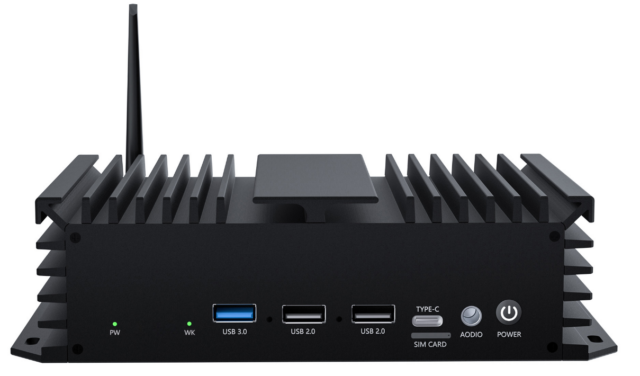
Choosing between them is really a trade-off between maintenance cost and initial investment: all-in-one is cheapest to start and most expensive later; an external terminal is cheapest up front and easiest to swap; OPS sits in the middle but requires the panel to have an OPS slot. New builds usually go straight to OPS-based integrated solutions, while retrofit projects typically use external terminals to avoid touching the panel. For retrofits, a compact, well-connected host such as the 01H MINI PC-RK3588 can be hidden behind the panel or inside the lectern, giving a lot of deployment flexibility.
Choosing the touch technology: infrared versus capacitive
Two technologies dominate. Infrared touch locates points using infrared emitters and receivers in the bezel. It is cost-effective, scales to large sizes, supports multi-touch, and — importantly for classrooms — is triggered by any object, whether a finger, a piece of chalk or a pointer. Its drawbacks are dust accumulation in the bezel, occasional false touches in strong light, and lower precision than capacitive. Capacitive touch offers better precision and feel, true optical bonding and anti-glare options, but costs more, becomes expensive at large sizes, and usually only recognises fingers or dedicated styluses.
Infrared remains mainstream in classrooms for a very practical reason: teachers do not always use a finger. The two specifications that matter are not the technology name but the report rate (whether writing feels responsive) and the minimum recognised object diameter (whether chalk works). Procurement should require a live handwriting demonstration rather than a datasheet. Note also that touch signals travel over USB, so inadequate noise handling over long cable runs causes drift.
Lecture capture is the real compute test: multi-channel ingest and encoding
Many projects are configured for “playing courseware” and only discover the shortfall when recording starts. Routine lecture capture involves at least three or four channels: a wide teacher shot, a teacher close-up, a student wide shot, plus a board or courseware feed. These channels are not simply connected — they must be captured, encoded and synchronised, then composed into one or more streams for delivery.
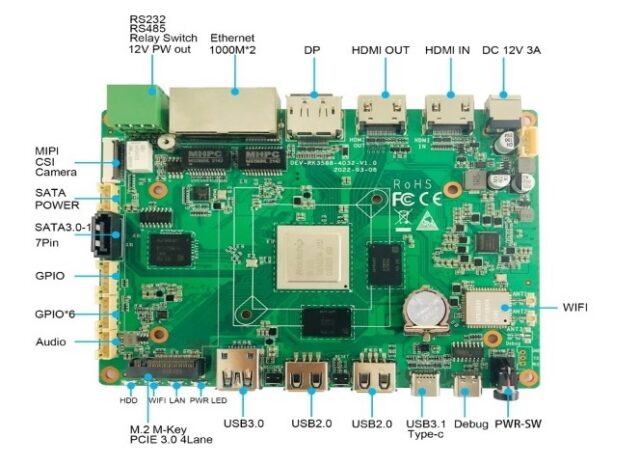
The specifications that matter are the number of concurrent hardware encoder channels and the bandwidth of the capture interfaces. Encoding several 1080p streams in software saturates the CPU immediately, causing stutter and heat; how many channels the hardware encoder handles, and at what maximum resolution and frame rate, must be clarified during selection. The capture side is similar: multiple USB cameras sharing one USB controller run into bandwidth limits quickly. For multi-channel scenarios, a model with dedicated codec capability and a higher memory configuration, such as the 01B EDGE-RK3588-4D32 V1.2A, leaves far more headroom.
Wireless casting and compatibility: support whatever the teacher brings
Screen casting is the most frequently used feature in a classroom — and the most complained about. The reason is simple: teacher devices are unpredictable. Windows laptops, MacBooks, Android phones and iPads can all appear in the same room, and their casting protocols are not interchangeable (Miracast, AirPlay and various proprietary protocols).
So do not accept a line saying “supports wireless casting”; ask which protocols and whether a client app is required. The ideal is casting with nothing installed; the next best is a lightweight client covering the mainstream systems. Also check how many devices can cast simultaneously (group work may involve several students at once) and audio/video sync while casting. Both often behave fine in a demo and only break down under real classroom load.
Classroom engineering details: boot time, noise and centralised ops
Some things never appear on a datasheet but decide whether teachers actually use the system. Boot time: if the device takes a minute after the bell, teachers stop using it; aim for instant-on or a very short wake-up. Noise: classrooms are quiet, so fan noise is amplified — fanless or low-noise designs are effectively mandatory. Third is centralised operations: with dozens of rooms per school, per-room manual configuration becomes unmanageable; remote configuration push, batch upgrades and status reporting are required.
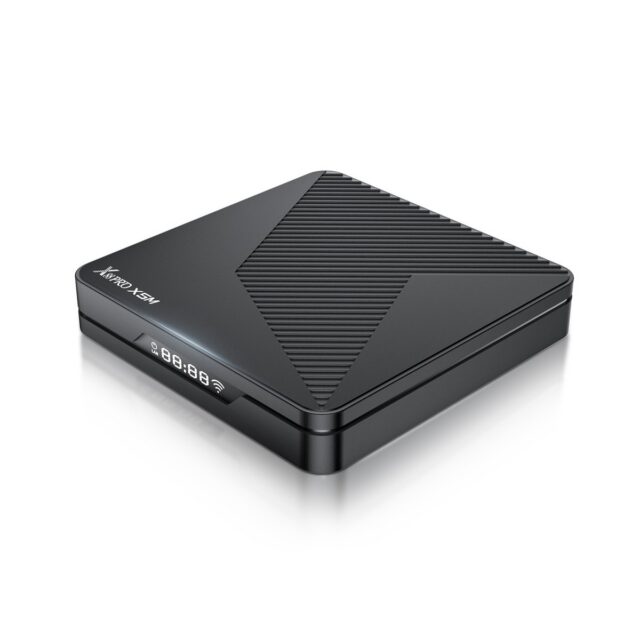
All three can — and should — be verified at prototype stage: measure time from power-on to usable, listen for noise in a quiet classroom, and rehearse a batch upgrade. For highly standardised deployments, choosing a mechanically stable, mature model avoids a great deal of later trouble; platforms such as the HS89 PRO 15 Set-Top Box (RK3539 Android 14) are easier to keep consistent across large classroom rollouts.
Conclusion
Selecting an education interactive display is about the scenario, not the specifications: OPS or external depends on new build versus retrofit; touch must be tested by writing on it, not read from a datasheet; configuration must be sized by concurrent capture channels rather than courseware playback; casting must cover the devices teachers actually bring; and boot time, noise and remote management should be treated as hard requirements and measured. Classroom hardware is used dozens of times a day — stability matters far more than benchmark scores.