Upgrading to a 2.5G Network: When It Pays Off and How to Do It Cheaply
Gigabit networking was standard a decade ago but increasingly looks like a bottleneck. When NAS traffic, backups and media transfers all share one gigabit link, the theoretical 118MB/s ceiling becomes very concrete.
First, decide whether you have this bottleneck
Not everyone needs 2.5G. The test is simple: if large file transfers consistently plateau around 110MB/s, the port is your bottleneck. If throughput is far below that, the limit is probably the drives or the protocol, and a faster port will not help.
What 2.5G actually buys
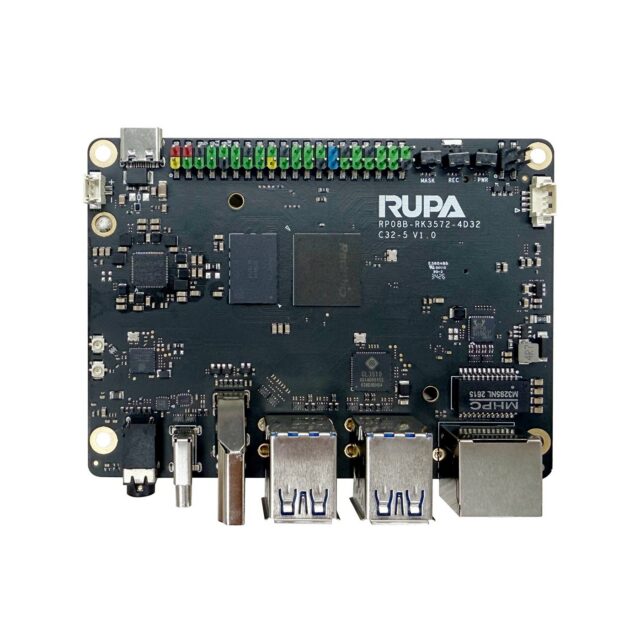
The 04A NAS-RK3588 network storage board provides 2× 2.5GbE, measuring above 280MB/s per port — more than double gigabit. For teams regularly moving video assets, running local backups or hosting virtual machines, that gain is felt more directly than a CPU upgrade.
Upgrade in segments to spend the least
There is no need to replace switches, NICs and cabling all at once. In most cases only the NAS-to-main-workstation path needs high bandwidth: insert a small 2.5G switch and put a 2.5G port on each end. Everything else stays on gigabit and the cost stays low.
On cabling, Cat5e usually carries 2.5G over short runs, so there is no need to force a move to Cat6. What genuinely needs replacing is long-distance or ageing wiring.
Consider the routing side too
If all internal devices should run at 2.5G, the router or gateway port specification becomes the limit. The 03R EDGE-RT28 industrial router board integrates 3× gigabit LAN plus 1× gigabit WAN, all configurable, with Wi-Fi 6 (2.4G 574Mbps / 5G 2402Mbps, 2×2 MU-MIMO) and support for ImmortalWrt and mainline OpenWrt firmware — well suited to custom networking policy.
Conclusion
If you are genuinely stuck at 110MB/s, 2.5G is the best value upgrade available to your internal network right now. If throughput never approached the gigabit ceiling, put the money into storage media and memory first. Specifications are on the NAS-RK3588 product page.