NAS Bay and RAID Planning: Trading Off Capacity, Redundancy and Rebuild Time
Before buying a NAS, the question to settle is not “how much capacity” but how much loss you can absorb and how long you can wait. Bay count, RAID level and per-disk capacity pull against each other: the same money buys either more usable capacity or more fault tolerance, never both maximised.
This is not a guide to configuring a particular RAID level. It is about making the trade-off before you order — because buying too few bays has no cheap remedy later.
Answer Three Questions Before Configuring Anything
Planning has only three inputs: how important the data is (can it be regenerated if lost), how much downtime you tolerate (will degraded performance during rebuild be acceptable), and how capacity grows over the next two or three years. Those answers determine the bay-and-RAID combination.
Working the other way — deciding “four bays, RAID 5” and then reverse-engineering requirements — is where much later rework begins. Adding disks when capacity runs out needs downtime; running out of bays means replacing the whole unit. Both cost far more than leaving headroom at the start.
Bay Count: Keep One Spare
Bays are the hardest resource to expand later. The experienced approach is one more bay than current needs require: it need not hold a disk immediately, but it buys two capabilities — capacity can grow without replacing the machine, and there is somewhere to put a hot spare or to migrate data when a disk fails.
Two bays suit modest capacity needs where an off-site backup already exists; four or more is where flexible capacity and redundancy combinations begin. For data meant to be kept long-term with predictable growth, spend the budget on bays rather than filling every bay with the largest disks available.
Redundancy Is Not Backup — Worth Saying Three Times
This is the most commonly confused point: RAID answers “service continues when a disk fails,” not “data cannot be lost.” Accidental deletion, ransomware, filesystem corruption and theft of the whole unit are all things RAID does not stop.
So every RAID plan needs an independent backup alongside it — ideally a physically separate second copy, on another device or off-site. The test is simple: if this NAS vanished entirely, would the data still exist? If not, no amount of redundancy is enough.
Rebuild Time: The Hidden Cost of Large Disks
Larger per-disk capacity means longer rebuilds, with two consequences: the risk of a second failure during the rebuild window rises, and performance drops noticeably while rebuilding. Chasing total capacity with very large disks trades away availability and rebuild-window risk.
High-capacity setups therefore have stronger reason to consider double redundancy, or to spread capacity across more bays — the same total over more, smaller disks rebuilds faster and shortens the risk window. That is why “more bays with moderate disks” often ages better than “few bays with very large disks.”
From Requirement to Configuration
Maximum capacity, regenerable data (a media library, say): redundancy can be minimal and every bay used. Long-term retention, non-regenerable (archives, family footage): at least single-disk tolerance plus an independent backup, with a spare bay. Continuous service that must not stop (a small team’s shared storage): prioritise double redundancy and a hot spare; capacity yields to availability.
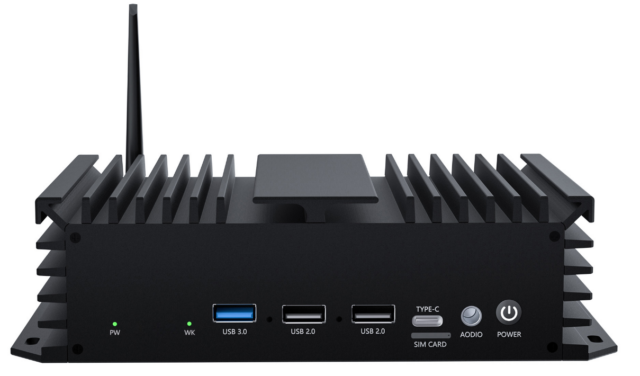
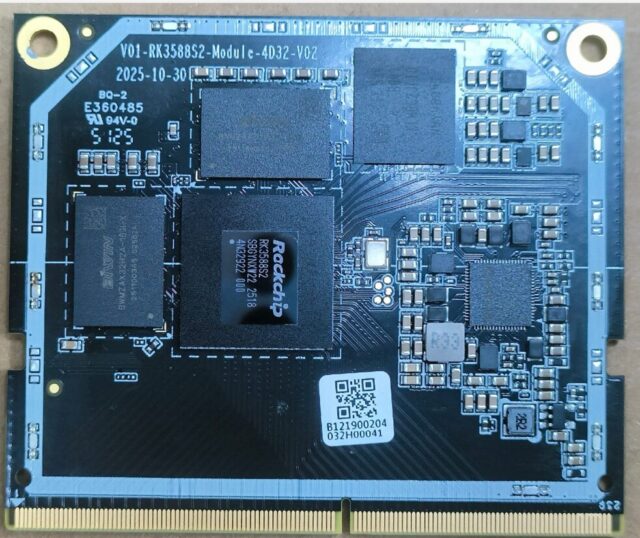
On the hardware side, building or customising a NAS yourself, a multi-bay development board such as the 04A NAS-RK3588 网络存储开发板 leaves room to decide bay layout and RAID policy yourself; for something ready to deploy, an integrated unit like the 08A NAS 智能存储盒(RK3572 八核) arrives with bays and system already tuned, which suits anyone who does not want to tinker. To build NAS functionality into your own carrier board with a fully custom bay layout, starting from a compute module such as the 01M-M-RK3588S 核心板 lets you define the interfaces and bay arrangement yourself.
Four Last Questions Before Ordering
1. If the data is lost, can it be regenerated? → 2. Can you accept reduced performance during rebuild? → 3. When capacity doubles in two years, will this machine still hold it? → 4. If the whole unit failed, where is the second copy? Once all four are answered, the configuration stops being a dilemma.