Choosing Within the HS86 Series: Stick, MINI and PRO
Several form factors within one series look like a specification ladder, but often are not. Stick, MINI and PRO address different installation conditions and usage patterns, and many selection mistakes are not about picking the wrong tier but the wrong shape. Fix the form factor first and the configuration largely chooses itself.
How the Three Divide: Installation Decides Everything
A stick plugs straight into the TV’s HDMI port with no extra space or cabling — ideal for temporary use, travel, or where space behind the TV is tight. The trade-offs are limited thermal room, few ports, and difficulty attaching anything else.
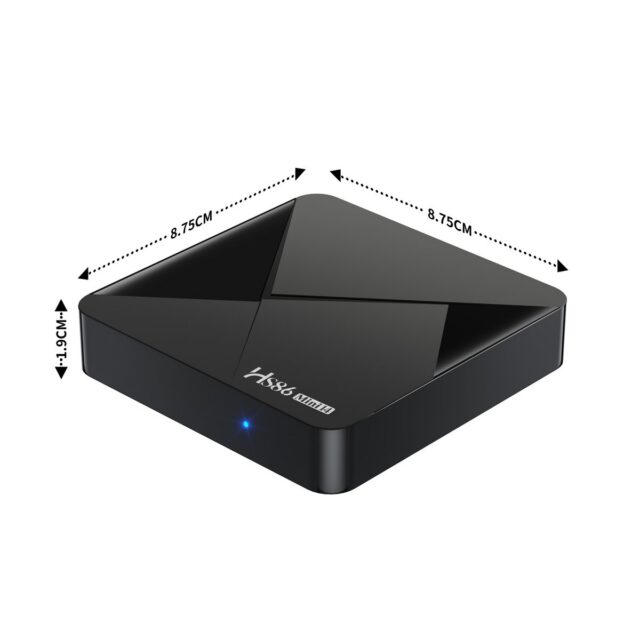
A MINI is a separate small box connected by a short or extension cable, sitting on the TV cabinet. It offers more ports and thermal headroom than a stick without taking much space, making it the most generally useful choice for home and light commercial use.
A PRO is the series’ more complete model on configuration and connectivity, aimed at scenarios with higher demands on output specification, port count or sustained operation — in-store playback or long-hours signage. The distinction between the three is primarily shape and positioning; check the product page for exact specifications, since configuration can shift between batches of the same shape.
Choose by Scenario, Not by Spec Sheet
For home personal use with a wall-mounted TV and little room behind it, a stick form factor such as the HS86 T1 电视棒 is the least fuss — plug in and go, controlled with the TV remote. For everyday living-room use where a USB drive, game controller or external audio gets attached occasionally, a standalone small box like the HS86 MINI 14 机顶盒(RK3518 安卓 14) suits better, with more comfortable port provision and cooling.
For commercial use — in-store playback, reception displays, long uptime — prioritise a higher-positioned model such as the HS86 PRO 14 机顶盒(4K 安卓 14): stability under sustained operation, completeness of output specifications, and consistency across a batch matter more than the modest saving.
System and Certification: Check This Before Export or Commercial Rollout
Among otherwise similar Android devices, GMS certification status and system version have a large effect on experience and compliance. For markets that require GMS, or projects that need Play Store applications preinstalled, confirm certification at selection stage rather than discovering it after delivery. System version governs application compatibility and the maintenance horizon.
Three Extra Things to Confirm for Volume Orders
When buying tens or hundreds, three things matter more than single-unit specs: batch consistency (are hardware and firmware identical across batches), firmware and boot configuration (custom boot logo, preinstalled apps, disabled features), and long-term supply (where the model sits in the series — a mainstay or about to be superseded). Asking these before ordering avoids a great deal of downstream trouble.
A Quick Way to Decide
A short sequence: start with where it will be installed (behind the TV / on a cabinet / fixed commercial position) and the form factor is basically settled; then whether peripherals are needed, which fixes the port count; finally certification and supply, especially for export and volume projects. Three steps and usually one model remains.
Between two options, choose the higher form factor — the extra ports and thermal headroom of a standalone box almost always prove useful later, while a stick’s portability only pays off if you genuinely carry it. Tell us the installation position and whether peripherals are required, and the shortlist narrows quickly.