Embedded Box Field Troubleshooting: A Diagnostic Order for No Boot, No Display, Lost Network and Reboot Loops
When a device fails in the field, the most expensive part is rarely the repair — it is the time spent locating the fault. The same complaint, “it will not boot,” may mean the power supply, the boot medium, or a shorted peripheral, and each is handled completely differently. Swapping parts without an order wastes time and risks damaging healthy components.
This article sets out a diagnostic order that runs from outside to inside, from power to software. It applies to most embedded boxes and industrial controllers and depends on no particular platform — it is a method, not a checklist for one board.
First Separate “No Power” From “Not Starting”
The first move is not to open the case but to read the externally observable signals: is the power LED on, are the Ethernet LEDs blinking, is the fan turning, is there any buzzer or vibration. Within a minute this splits faults into two families.
Nothing at all (no light, no sound) points at the power chain: adapter, cable, socket, device-side power connector. Power present but no output (LED on, no signal to the display) is a boot or display problem. The distinction looks obvious, yet it is the step most often skipped in the field — plenty of boards get condemned as dead when the adapter is at fault.
Power: Measure Voltage Before Anything Else
The commonest power fault is not absence of power but insufficient voltage or sag under load. Reading normal with no load and collapsing once loaded produces random reboots or a boot that stalls halfway — and is very easily misdiagnosed as a software fault.
So test power under load, and watch the transient at start-up rather than only the steady-state value. Do not overlook the cable either: a long or thin power lead drops a surprising amount. Swapping in a short lead on site costs almost nothing and gives a hard answer.
No Display: Rule Out the Display Side First
With no signal, first confirm the display side works: a known-good cable, a different monitor, the correct input source selected. Only then look at the device’s output configuration — whether resolution and refresh rate exceed what the monitor supports, or whether the interface mode needs switching manually.
A good share of “no display” cases are really output-mode mismatches: the device has booted perfectly and simply cannot produce a picture. If the unit has Ethernet and answers over SSH, ADB or a vendor management tool, that alone proves the fault lies in the display chain rather than the board.
Reboot Loops: Thermals, Power or Peripherals
Periodic reboots are the most wearing category because they are regular yet diffuse in cause. Experience points to three directions: temperature — is the heatsink seated, the airflow blocked, the ambient over spec; power — back to sag under load; and peripherals — a USB or serial device that is shorted or draws excess current can drag the whole unit down.
The most effective isolation is the minimal-system method: strip every peripheral, keep only power and the essential output, and see whether the loop persists. If it stops, reconnect one at a time; whichever reproduces it is the culprit. Blunt, but it rarely misleads.
Lost Network: Diagnose in Layers, Do Not Swap the Module First
Network faults need layering: link layer first (port LEDs, cable, the far-end device), then addressing (was an address obtained, is it conflicting), then application (is the service listening, is the port open). Skipping layers is how teams end up replacing a module and still having no connection.
Wireless adds a distinction between module faults and antenna or environment faults: is the antenna seated, is the unit inside a metal enclosure, is the band congested. Moving the device to open space for one comparison removes the environment from the equation.
Feed Findings Back Into Selection
In the end many findings belong back at the selection stage: power shortfalls mean the power budget was never done, reboot loops mean thermal headroom was insufficient, peripherals dragging the unit down mean interface protection was not considered. A substantial share of field faults is homework skipped during selection, finally being paid for.
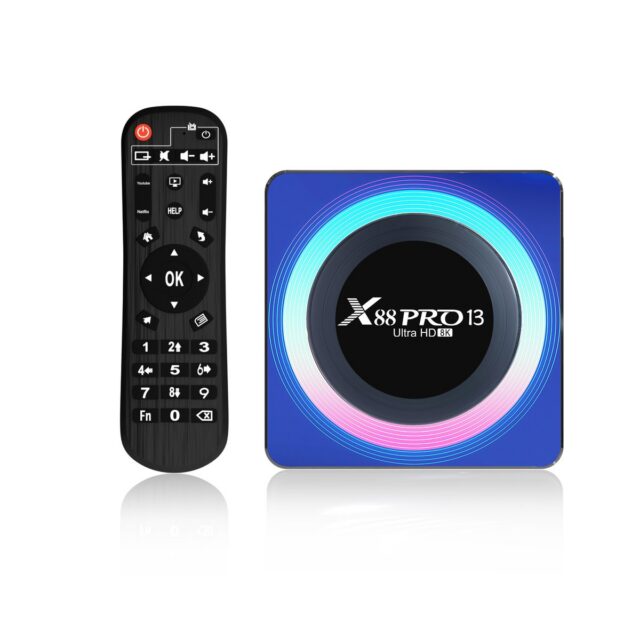
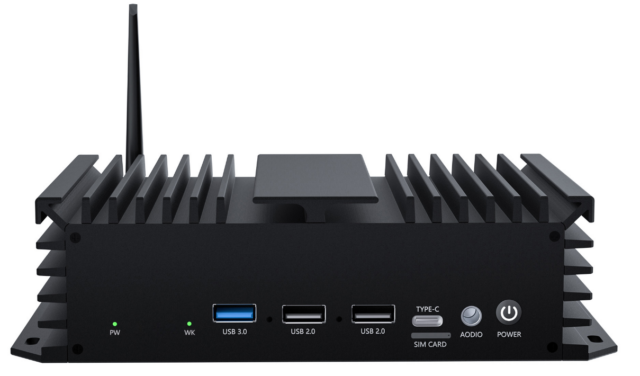
Where faults cluster around power and thermals, the next selection round should favour platforms with more generous power and thermal margins — an edge computing box such as the 02A EDGE-RK3576 V1.1, or an industrially positioned board such as the 05A IPA-RK3588 工业控制主板. Where the job is only entry-level display or a light workload, a mature option like the X88 PRO 14 机顶盒(RK3518 安卓 14) is often the easier ownership proposition: simpler construction, fewer things to fail.
A Checklist Worth Keeping On Site
1. Read external signals — no power or not starting? → 2. Measure voltage under load, watch the start-up transient → 3. Swap cable and monitor, rule out the display side → 4. Minimal-system isolation of peripherals → 5. Layered network diagnosis → 6. Feed the conclusion back into the next selection round. Followed in order, most field faults can be characterised within half an hour.